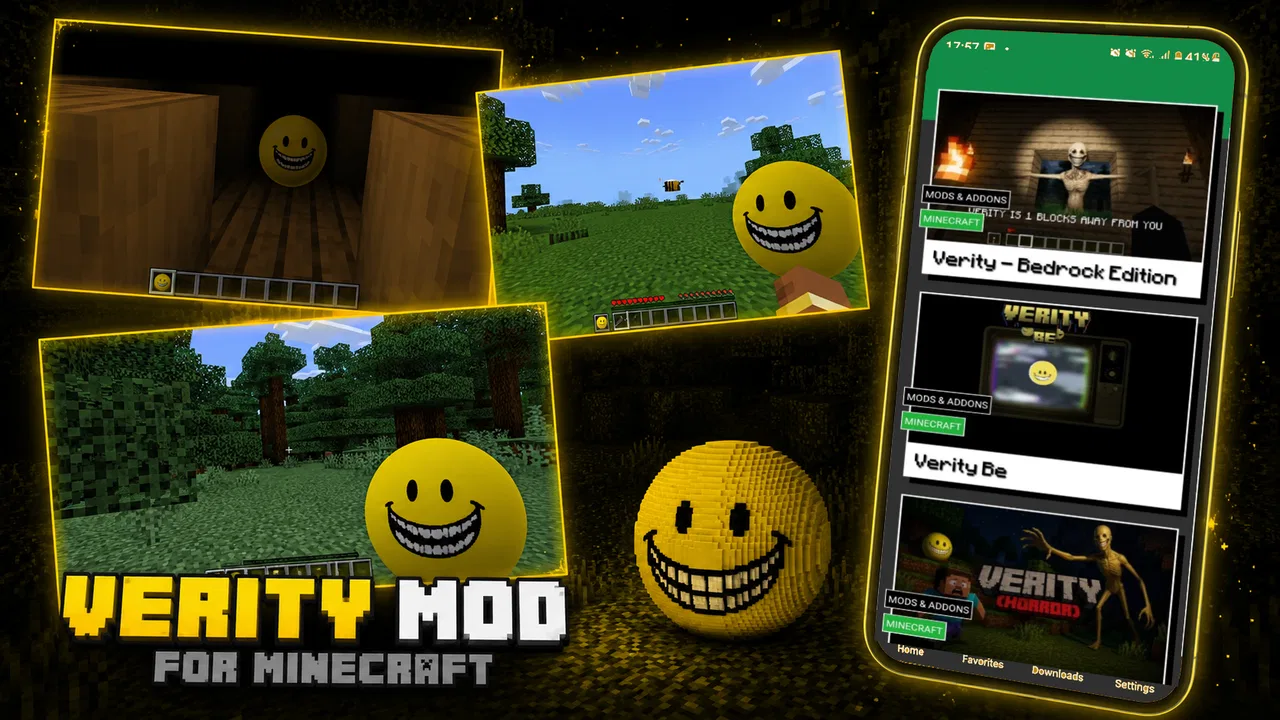
Verity Mod
- 4.5
- Rating
- 500.00K
- Installs
- Free
- Price

 Analysis by App-foxy
I approached Verity Mod as an entertainment app for people who enjoy browsing horror-themed material connected with characters and concepts such as Man from the Fog, Poppy, Mimicer, SCP, and Cave Dweller. Its short store description is simply “Verity Mod,” while the longer summary points toward a collection built around recognizable horror mod themes. That immediately tells me who will be interested: someone looking for a quick way to explore this particular style of scary content, rather than a broad streaming service or a conventional standalone game.
My first impression is that the app’s appeal depends less on complicated controls and more on how easily it gets the right material in front of you. That sounds simple, but apps in this area can become frustrating when the user is unsure what to tap, where a selected item is supposed to open, or whether the content is intended for casual viewing, reference, or use alongside another experience. I found it most useful when I treated it as a focused entertainment companion instead of expecting it to replace a full game, a video platform, or a general horror library.
SAR13 is the developer behind the app, which is free to install and carries an Everyone age rating. The current release is version 1.0.3, and the app has passed the half-million-install mark with an average rating of 4.5 from roughly 1.8 thousand ratings. Those figures suggest that it has reached a substantial audience, although popularity alone does not remove the need to check whether its presentation suits your particular use.
You May Also Like
 Google Keep - Notes and lists
Google Keep’s Quiet Growth Shows the Appeal of Simpler Notes
As mobile work gets busier, Google Keep keeps winning a simple contest: capture a thought quickly, find it later, and get on with the day.

 Blood Strike: 2.5 Anniversary
Blood Strike’s Loadouts Turn Every Drop Into a Tactical Gamble
A close look at Blood Strike’s custom loadouts: how fast access to signature weapons reshapes its battle royale rhythm, rewards preparation, and narrows the gap between fights.

 Pandora - Music & Podcasts
Pandora’s Music Is Easy to Start, but Harder to Recover
Pandora’s strength is its low-effort path from a seed to a station. Its weak spot is how much confidence it asks you to place in connection, setup, and quiet recovery.

 8 Ball Pool
8 Ball Pool Is Built on Rivalries, Rematches, and Routine
A close look at the rivalries, rematches, shared routines, and unanswered safety questions that turn a quick pool match into a persistent mobile community.

 Samsung Music
Samsung Music’s Quiet Strength Is Playing What You Already Own
Its reach comes less from spectacle than from dependable access to a personal library. That simplicity is both the app’s strongest retention engine and its ceiling.

 AccuWeather: Weather Radar
AccuWeather Review: A Quick, Clear Forecast for Everyday Decisions
For everyday plans, the best forecast is the one you can understand quickly. AccuWeather makes rain timing, radar, and local conditions easy to act on, with a few trade-offs.
More From Our News Desk



Where people usually get stuck
I usually see people get stuck when they expect a “mod” to behave like a game, an add-on installer, or a tool that changes other software. I’d first pin down what I want from the app: exploring its horror themes, rather than altering another experience. That distinction makes the next check—whether the app’s contents suit my purpose—far more useful than repeatedly tapping around.
The name can create the wrong expectation
The biggest source of confusion is the word “Mod.” A reader may assume this is a complete game, a single playable horror adventure, or a tool that automatically changes another app. I would not approach it with any of those assumptions. The store summary presents a group of horror-related names, so the safer expectation is a themed entertainment experience centered on that material. If you are looking for a full game with its own levels, controls, progression, and save system, this may feel too limited.
That distinction matters before installation. I have found that many disappointing app experiences begin with an incorrect mental model rather than a technical failure. Here, the practical question is not simply “Does it work?” but “Does it offer the kind of horror browsing or mod-oriented reference I wanted?” If your goal is to spend a few minutes exploring familiar horror concepts, it has a clear purpose. If you want a polished, self-contained game, a dedicated title from the usual game stores is likely a better match.
Finding the right theme takes a little patience
Because the summary groups several different horror subjects together, the experience is better suited to users who already know what they want to investigate. Someone interested in SCP material may not care about Cave Dweller content, while another person may install it specifically for Man from the Fog or Poppy. I recommend deciding on your first subject before opening the app. That simple step makes it easier to notice whether the available material is relevant instead of tapping through everything without a clear goal.
A useful habit is to treat each listed horror name as a separate starting point. Explore one theme, decide whether it gives you enough value, and then move to the next. This avoids a common mistake: judging the entire app after only one item or, in the opposite direction, spending time searching through every section when only one particular character or concept matters to you.
Content expectations should stay realistic
The Everyone rating makes the app broadly accessible, but an age label is not the same as a promise that every horror fan will find the material intense, detailed, or frightening. Horror is personal. Some users want atmosphere and recognizable names, while others expect sustained tension, elaborate storytelling, or strong visual effects. I would install this for lightweight exploration and themed entertainment, not as a guaranteed source of deep scares.
That also affects who should skip it. If you dislike horror references altogether, the central theme will not become more appealing through repeated use. Likewise, if you want a single carefully directed narrative, the collection-style approach may feel scattered. The app makes more sense for a curious fan who enjoys moving between related subjects and does not need every entry to behave like a full production.
Setup checks that prevent avoidable frustration
Before I decide that something is broken, I like to check the basics in one pass: the device meets the Android 7.0 minimum, the installation has finished, and the phone is not struggling with a crowded workload. Then I open one theme and a second, leaving other settings alone. This simple comparison helps me separate a device or setup hiccup from an issue tied to one part of the experience.
Start with the basic installation path
Since the app is free, there is no purchase decision to make before trying it. I would still begin with the ordinary checks that matter for any Android installation: use the official app page, confirm that the installed version is 1.0.3, and allow the installation to finish before repeatedly reopening it. Rapidly tapping the icon while the device is still completing setup can make a simple delay look like a crash.
The listed minimum operating-system requirement is Android 7.0. If your device runs an older system, compatibility is the first thing to resolve rather than changing settings at random. On a supported phone, I would close other demanding apps before the first launch, especially if the device has limited free memory. That is general housekeeping, but it is particularly useful when an entertainment app is loading several themed sections or image-heavy screens.
Give the first launch a clean test
For a reliable first test, open the app once and wait through the initial screen without switching immediately to another application. Look for the main content areas and identify how the horror themes are presented. I would avoid changing multiple device settings at the same time, because that makes it difficult to know what actually helped if the app behaves unexpectedly.
A helpful workflow is to test one item, leave it, and then open a second item. This tells you whether the issue belongs to one piece of content or affects the whole app. If one section loads while another does not, the problem may be localized. If nothing opens, the troubleshooting path is different. This small comparison is more informative than repeatedly selecting the same entry.
Keep the app’s role separate from other software
The word “Mod” can tempt users to expect automatic integration with a separate game or platform. I would not assume that installing Verity Mod changes another application, adds content to it, or manages files outside itself. Unless the app clearly presents an action for that purpose, treat what you see inside the app as its own experience. This prevents a great deal of confusion and avoids making risky changes to unrelated software.
If you are using it beside another horror game, keep the two workflows separate at first. Open the relevant material in Verity Mod, understand what it presents, and only then return to the other game. That approach is safer and easier to evaluate than attempting to modify several things at once. It also helps you decide whether this app is genuinely useful as a companion or whether the separate game already provides everything you need.
Use a simple organization method
One non-obvious advantage of a focused app like this is that it can act as a quick starting point for a themed session. I would make a mental shortlist of the entries I care about—perhaps SCP first, then Poppy, followed by Cave Dweller—and stop once the session has served its purpose. This is more efficient than opening the app whenever you are bored and hoping the right material appears by chance.
For younger users, the Everyone rating may make the app feel suitable for a shared device, but I would still preview the experience personally. Horror labels can mean different things to different families, and the rating does not tell you whether a particular theme will be comfortable for a child who is sensitive to frightening imagery or ideas.
Recovering when the workflow breaks
When the workflow breaks, I avoid making several changes at once. I return to the previous screen, try another theme, and reopen the app if the interface remains stuck; if every section behaves the same way, a device restart is a reasonable next test. Keeping the steps small gives me a clearer clue about what failed and avoids turning a temporary snag into unnecessary reinstalling or settings changes.
When a screen seems stuck
If an item does not respond, my first step would be to wait briefly, return to the previous screen, and try a different theme. This separates a temporary loading problem from a broader app problem. If the entire interface remains unresponsive, close the app normally and reopen it. I would not jump straight to uninstalling, because that removes the easiest chance to observe whether the issue was temporary.
After reopening, test a different entry rather than repeating the original tap. If the second entry works, return to the first later. If the same failure affects every section, restart the phone and try again. These are deliberately modest steps: they do not assume hidden features, special permissions, or a particular internal design that the app may not use.
When the app opens but the experience feels incomplete
Sometimes an app is technically working but still feels disappointing because the user expected more depth. In this case, compare the actual role of the app with your original goal. The listed themes make it a focused horror entertainment option, but they do not promise a complete storyline, a large game world, or advanced customization. If you wanted one of those things, no amount of restarting will change the basic product fit.
I would also avoid judging it by the standards of a major video platform. A video service is better when you want long-form viewing, creator channels, recommendations, and a broad catalogue. A full horror game is better when you want direct interaction and progression. Verity Mod sits in a narrower space: it is for quickly engaging with a defined group of horror-related subjects. That narrower purpose can be a strength when it matches your interest, but it becomes a limitation when you need variety or depth beyond those themes.
When an update changes your routine
The current version is 1.0.3, so I would note the version shown on your device before trying more involved fixes. If behavior changes after an update, first reproduce the issue with a different theme and then reopen the app. Keeping the troubleshooting focused matters because reinstalling, clearing local information, or changing device settings can create new friction without proving what caused the original problem.
For everyday use, I prefer a short recovery routine: close the app, restart it, test a different entry, and then restart the device if the problem affects the whole interface. If the issue continues, the sensible next step is to use the app’s normal support route rather than downloading unofficial alternatives that claim to provide the same material. That is especially important when an app’s name encourages users to search for modified copies.
When the app is not the cause
I also try not to blame the app before checking whether the problem is really a mismatch in expectations. A narrowly focused horror experience will not satisfy someone looking for a full game, broad media catalogue, or automatic changes to another app. Once I identify which of those jobs I actually need done, I can decide more confidently whether to troubleshoot further or use a better-fitting alternative.
Device and operating-system limits
Not every failed launch points to SAR13’s app. An older Android version below 7.0 is an obvious compatibility concern, while a supported phone can still struggle if storage is nearly full, the system is under heavy load, or background processes are interfering. I would check those conditions before deciding that the app itself is unreliable.
Screen behavior can also be misleading. If text appears cramped or an item is difficult to select, the issue may be the device’s display scaling or accessibility configuration rather than the content. Returning temporarily to the standard display setting can help identify whether the problem is layout-related. After testing, you can restore your preferred setting if it was not responsible.
Network conditions can look like app errors
If the app relies on content that loads after launch, an unstable connection can make an otherwise working section appear empty or frozen. I would test the app on a dependable connection and avoid switching repeatedly between networks during the same session. A quick comparison between two different themes can reveal whether the problem is general connectivity or limited to one item.
This is also why I would not immediately conclude that a missing screen means the app has no content. Give the interface time, retry once, and compare another section. If only one area remains unavailable while the rest behaves normally, the cause may be specific to that material or to the connection at that moment.
Expectations can be the real mismatch
The strongest practical insight from using a narrowly themed horror app is that usefulness depends on the user’s definition of “mod.” If you want a reference-like way to move among named horror subjects, the focused catalogue can be convenient. If you want installation management, automatic game changes, or a complete interactive adventure, you should choose a purpose-built alternative instead.
I would also choose another option if you need extensive filtering. A broad entertainment platform may be more suitable for sorting by genre, creator, length, or mood. Verity Mod is more appealing when the starting point is already known: you want to explore its horror-related themes without first searching through a huge general catalogue.
My practical verdict after using it
I see Verity Mod as a compact, free entertainment app for horror fans who want a direct route into material associated with Man from the Fog, Poppy, Mimicer, SCP, Cave Dweller, and related mod culture. Its 4.5 average and audience of over 500 thousand installs show that it has found considerable interest, but my recommendation is still conditional: install it because those themes appeal to you, not simply because the rating is strong.
Its best use case is an informal session with friends or a few spare minutes when you want to compare several horror concepts. For example, I can imagine opening it before a multiplayer evening, checking the subjects everyone recognizes, and using that as a quick way to decide what kind of horror experience to play or discuss next. The app is also a reasonable starting point for someone new to these names, provided they understand that a themed collection is not automatically a complete game.
The main trade-off is focus. The same narrow subject range that makes it easy to approach can make it feel limited after repeated sessions. Users who want a deep narrative, extensive controls, advanced organization, or a broad entertainment catalogue will probably be happier with a dedicated horror game or a general media platform. Users who prefer a lightweight, recognizable horror theme and are willing to explore one entry at a time are more likely to enjoy it.
My advice is to install it, perform a calm first launch, test two different themes, and decide from that short session whether its format matches your expectations. Keep the app separate from any game you may associate with the word “mod,” and use ordinary recovery steps before assuming something is seriously wrong. The right reason to keep Verity Mod is its focused horror selection, not the promise of replacing every other entertainment tool.
FAQs for Verity Mod
01What is Verity Mod, and what does it offer?
Verity Mod is generally presented as a modified version of the original Verity application, offering extra features, unlocked content, or changes to the standard user experience. The exact additions can vary depending on the release and its developer. Before installing, users should carefully review the listed features, supported Android version, and whether the mod is compatible with the official app already installed on their device.
02Is Verity Mod safe to download and install?
Safety depends heavily on where the file comes from and how the modification was created. Unofficial APK files may be altered, outdated, or bundled with unwanted software, and they may not receive the same security checks as an official store release. Before installation, scan the file with a trusted mobile security tool, check user feedback, avoid suspicious permissions, and keep a backup of important data.
03Is Verity Mod available for iPhone or iOS devices?
Most modified applications are distributed as Android APK files, so Verity Mod may not have a straightforward official version for iPhone or iPad. Installing modified iOS apps often requires unofficial signing services, a jailbreak, or other workarounds, which can create security, privacy, and stability concerns. Users should verify platform compatibility before downloading and avoid websites claiming to provide an easy iOS version without reliable details.
04What permissions might Verity Mod request?
The permissions requested by Verity Mod depend on the app’s functions and the changes included in a particular release. Some permissions may be necessary for core features, while others can be excessive or unrelated. During installation and first launch, review every requested permission and deny access that does not appear essential. If the app refuses to work without questionable permissions, consider uninstalling it.
05Can using Verity Mod cause account, privacy, or update problems?
Yes. Because Verity Mod is unofficial, using it may violate the original developer’s terms of service, potentially leading to warnings, account restrictions, or loss of access. Modified builds can also interfere with automatic updates, saved data, cloud synchronization, and support. It is safer to avoid entering sensitive credentials or payment information until the source and privacy practices have been independently verified.
Pros
- Simple interface makes core features easy to find.
- Modded options can provide extra flexibility for some users.
- May unlock features unavailable in the standard version.
- Usually requires less setup than manually modifying an app.
- Can be useful for testing features before choosing the official version.
Cons
- Download sources may be unreliable or contain misleading files.
- Modified apps can pose privacy and security risks.
- Updates may arrive later than they do for the official app.
- Some features may stop working after server-side changes.
- Using a mod can violate the original app’s terms of service.

Verity Mod
Gallery